A sit-to-stand desk is a workstation that lets you alternate between sitting and standing by changing the height of your work surface. That simple capability has reshaped how many people approach long days at a computer. The mechanics are straightforward, yet the choice you make about the type of desk, how you set it up, and how you use it will determine whether you feel better and work better, or end up with a wobbly, noisy platform you dread adjusting.
I have set up dozens of sit to stand desks for teams and home offices, from budget manual frames to premium dual-motor systems with memory presets. The best results come less from a particular brand and more from matching the desk to the person, the space, and the work. Think ergonomics and daily habits first, specs second. With that lens, here is how these desks work, what to expect, and how to choose and use one well.
How a Sit-to-Stand Desk Works
Most sit stand desks share two core components: a height-adjustable frame and a work surface. The frame determines how high and how smoothly the top moves, while the surface provides the usable space and stiffness.
Mechanically, desks raise and lower in one of three ways. Electric models use one or two electric motors inside the legs. A control panel, usually edge-mounted, drives the motors and may include memory buttons to store preferred heights. Manual units rely on a hand crank or a pneumatic gas spring with a release lever. Converter units, which sit on an existing desk, use springs and linkages to lift a separate keyboard and monitor platform.
The movement matters beyond convenience. Electric systems provide consistent lift and precision down to a few millimeters, which helps when you want the same elbow and wrist angles every day. Manual crank systems can be reliable and quiet, but you supply the power. Pneumatic designs lift quickly, though they can bounce under heavy load and require calibration to match your equipment weight. In every case, stability at the top of the range is the differentiator you feel when typing intensely or drawing with a stylus. A frame that’s rock solid at 46 inches is worth more than a taller one that shimmies.
Sit-to-Stand vs. Standing Desks
People often ask, what’s the difference between a standing desk and a sit-stand desk? Standing desks are fixed height at a standing level. Sit-to-stand desks adjust between sitting and standing, which is more useful for full workdays. Fixed standing desks can be fine for short tasks or for shared spaces where people perch briefly. For knowledge work, an adjustable sit to stand desk offers the flexibility to match energy levels, tasks, and ergonomic needs through the day.
When a company switched a design pod I worked with to fixed standing tables, productivity dipped in the afternoons, and a quiet migration back to chairs followed. The same team later adopted adjustable sit stand electric desks with presets. People changed positions more often and reported fewer complaints about feet and lower backs. The difference was the ability to move mid-task without friction.
Are Sit-to-Stand Desks Worth It?
For most desk-bound workers, yes, with the right expectations. A sit stand desk does not automatically improve health or posture. It creates a platform for movement, which helps if you actually use it. When people alternate positions for a few minutes every hour and keep basic ergonomic points in check, they tend to report less lower back discomfort, fewer neck and shoulder aches, and more steady energy across long days. Standing all day does not fix sitting all day. Switching between the two, paired with short walking breaks, is where the value shows up.
I have seen measurable benefits in teams after a month of consistent use. Average self-reported discomfort scores drop, and people stand more in meetings, which shortens them. The biggest gains come for those who had static setups before, especially if they had been using dining tables or non-adjustable workbenches. If you already have a well-fitted seated setup, the improvement is more about variety and attention than a miracle cure.
Budget matters. A solid manual sit stand desk can be worth it if cost is the limiter and you rarely change height. If you plan to switch positions multiple times per day, the convenience and stability of a good electric frame usually justify the extra cost. Over three to five years, a durable electric unit often ends up cheaper than replacing a bargain frame that drifts or wobbles.
Core Benefits People Actually Feel
The sit to stand desk benefits that show up consistently in practice are not exotic. They are practical, cumulative, and tied to behavior.
First, alternating positions reduces the continuous load on any one set of tissues. Lower backs tolerate sitting better when they are not asked to hold one posture for hours. Hips and hamstrings get relief. When standing, your spine stacks differently, and the change alone can downshift discomfort even if your overall workload stays the same.
Second, standing can improve breathing and voice projection for calls and presentations. If you talk a lot for work, a few standing blocks each day help you sound alert. Sales teams often know this instinctively. They make their best calls on their feet.
Third, micro-movement increases. People sway, shift weight, and step back and forth when standing. Those small actions encourage circulation. None of this replaces a brisk walk, but it beats staying still.
Fourth, focus can rebound. I ask people to notice energy dips, then stand for 15 minutes and see if the task feels lighter. Often the change is enough to push through a lull. Not always, but often.
Finally, variety supports long-term comfort. Ergonomics is about fitting the work to the person and allowing multiple neutral positions. With a sit stand desk, you can work elbows close to 90 degrees while seated, then repeat the same relationship while standing at a higher height. Your wrists, shoulders, and neck get a break without losing alignment.
How Long Should You Stand at a Sit-Stand Desk?
There is no single correct ratio, but useful ranges exist. For people new to standing, I suggest 10 to 20 minutes of standing per hour, building up gradually. Another workable pattern is two or three standing sessions of 30 to 45 minutes scattered through the day, with sitting in between. Too much too soon leads to sore feet and knees, which discourages use.
What matters more than the exact number is regular change. If you notice discomfort in any position, switch. If a task demands precision or stability, sit for https://thedesigntourist.com/5-must-have-home-office-essentials-for-productivity/ it. If you are on a long call or reviewing drafts, stand. Use your calendar to anchor change: stand during daily standups, sit for deep writing blocks, stand for email triage. People who tie posture changes to recurring tasks sustain the habit.
Do Sit-Stand Desks Help With Posture?
They help when combined with correct setup. Standing does not automatically fix rounded shoulders or a forward head. It can even exaggerate these if your screen sits too low or you lock your knees.
A simple setup checklist helps:
- Set desk height so elbows rest near 90 degrees, with forearms parallel to the surface. If your shoulders creep up, the desk is too high. If your wrists drop sharply, it is too low. Position the monitor so the top of the screen is roughly at eye level or slightly below, at an arm’s length distance. Raise the monitor again when you raise the desk, especially if you use a laptop. Keep the keyboard and mouse at the same level to avoid wrist extension. A separate keyboard and mouse are often essential for laptop users.
With those basics in place, alternating between well-fitted sitting and standing reduces the time you spend in any one slumped posture, which is the real win.
Is It Healthy to Alternate Sitting and Standing at Work?
Yes, in the sense that regular movement supports circulation, joint health, and comfort. Standing itself is not a workout, and prolonged static standing can cause problems similar to prolonged sitting, including stiff hips and lower back fatigue. The healthy piece is the alternation. When you move, you change which tissues bear load. Pair brief standing periods with short walks or stretches. Think of the desk as a prompt to move rather than a destination.
One caution: people with certain vascular issues, foot conditions, or balance concerns should consult a clinician before extended standing. The same goes for pregnancy later in the third trimester when prolonged standing may be uncomfortable. An anti-fatigue mat, supportive footwear, and gentle calf raises make standing time more sustainable.
Types of Sit-to-Stand Desks and How to Choose
You will see three broad categories in the market, each with trade-offs.
Electric sit to stand desks use motors in one or both legs. Dual-motor frames lift faster and distribute load better than single-motor designs. Look for a lift capacity that exceeds your gear by a wide margin, ideally by 50 percent or more. Pay attention to the frame’s lowest and highest heights. People under about 5 feet 2 inches and over 6 feet 3 inches often need a wider range to hit ergonomic targets. Memory presets are worth it; they remove guesswork and make you more likely to use the desk as intended.
Manual sit stand desks may use a hand crank. They tend to cost less and avoid motor failures, though they require effort to adjust and invite a “set it and forget it” habit. Crank quality varies. A well-geared crank can move a loaded top without straining your shoulder, but too many turns discourage frequent changes. Pneumatic desks move fast and feel light, yet can drift if the spring tension does not match the load. If you swap equipment often, plan on retuning.
Converters sit on top of an existing desk. They work well for small budgets, rentals, and tight footprints. A good converter maintains keyboard stability at full height and allows precise placement of monitor and typing surfaces. Cheaper ones bounce while typing and push you farther from the screen, which can create neck strain. If you go this route, consider a monitor arm and a thin keyboard tray to keep wrists neutral.
For all types, stability is the make-or-break factor. Marketing language rarely captures it. If you can test in person, extend the desk to your standing height and hammer-type on it. Wiggle the corners lightly. A little side-to-side play might be acceptable, but front-to-back wobble under your elbows will wear on you quickly.
Space, Shape, and the “Best” Choice for Your Work
The best sit to stand desk is the one that fits your body, your equipment, your space, and your habits. In a small apartment, a sit stand desk for small spaces might be a narrow 40 to 48 inch top with tidy cable management. An L-shaped frame might suit a designer who needs multiple monitors and a tablet. A writer with a single laptop can often thrive on a compact rectangular top and a strong monitor arm.
Noise matters if you share space. The quietest desks lift around 40 to 50 decibels, which sounds like a low hum. Less refined frames whine or rattle and discourage adjustments during calls. If you live with a sleeping baby or share with a partner, test for noise.
Cable management makes or breaks the experience. Moving desks tug cables, and tugging causes disconnections and frayed wires. Plan slack loops for the tallest height, mount a power strip under the desk, and route cables through cable trays or sleeves. After one or two accidental yanks on a laptop, people stop raising the desk. Solve this on day one and you’ll use the desk daily.
Electric or Manual: Which Is Better?
Are electric or manual sit-stand desks better? For most people who plan to switch positions multiple times a day, electric wins on convenience, precision, and long-term use. Memory presets let you go from 27.5 inches to 44 inches in seconds, then land back on the same heights tomorrow. The price premium buys better motors, stronger legs, and a smoother experience.
Manual models still make sense. In classrooms, workshops, and labs where outlets are scarce or spills and dust are common, manual frames are practical. In budget-constrained settings, manual frames allow more people to get into a healthier range, especially students. For a sit stand desk for students, a lightweight manual or pneumatic unit that moves quickly can be enough to get teenagers and young adults out of their chairs without fuss.
Setup Tips That Make a Bigger Difference Than Brand
Getting the height right is the first priority. For sitting, adjust the chair so your hips are roughly level with or slightly above your knees, feet flat, and elbows near 90 degrees with shoulders relaxed. Then raise or lower the desk to match your forearms. For standing, keep that same elbow angle, with wrists flat, not bent up or down.
Monitor height matters nearly as much as desk height. Without a monitor arm, most people end up looking down. If you use a laptop, add a stand or a stack of books to lift the screen, and use a separate keyboard and mouse. If you work on a large external monitor, put it at arm’s length, and tilt it slightly so the top lean back a few degrees. Your eyes should land on text about one third of the way down the screen.
Foot comfort determines standing endurance. An anti-fatigue mat helps, but supportive footwear helps more. Hard floors with thin socks are a recipe for achy arches. Most people can stand longer and happier in shoes with a bit of cushioning. Consider a low footrest or a small box to rest one foot at a time, alternating every few minutes. It changes the spinal load in a pleasant way.
If you can, save two memory presets for sitting and standing heights. Use a third for tasks like sketching or video calls where you prefer a slightly different posture. Those presets remove thinking friction, and that is what keeps you moving.
Realistic Expectations About Energy and Productivity
Will a sit to stand desk make you more productive? It can support focus by breaking up monotony and making it easier to stay alert during passive tasks like watching webinars. It will not transform your workflow on its own. The biggest gains show up when you pair the desk with deliberate use: stand for calls, sit for precision work, walk during breaks, and stretch briefly after long sessions. Once those habits stick, the desk becomes a tool you barely notice, except that your back stops barking at 3 p.m.
One warning: early enthusiasm can lead to foot and knee soreness. Ease in. Add standing time in 5 to 10 minute increments, and pay attention to your calves and hips. If standing feels unstable, lower the desk a half inch. Minor adjustments change wrist angles and reduce strain more than you think.
Common Mistakes and Simple Fixes
People often set a sit to stand electric desk too high. If your shoulders shrug while typing, drop the desk until your shoulder blades settle. Another frequent issue is keeping the monitor at seated height when you stand. That pulls your head forward. Raise it each time or mount it on an arm that lifts with the desk.
Some users hit a cable snag that cuts power to the motors or yanks a peripheral. Prevent this by bundling cables and leaving a generous loop near the back leg, along with a strain relief clip near your laptop or docking station.
Finally, a slippery chair on hardwood will roll away when you stand, forcing you to chase it when you sit back down. Add a small rug or a brake on one wheel, or park the chair against a soft stop like a mat edge.
Sit-Stand Desks in Small Spaces and Shared Homes
In tight quarters, a sit stand desk for small spaces should prioritize depth over width. A 24 inch depth works if you use a laptop; 27 to 30 inches gives more elbow room for a monitor and keyboard while leaving space for a mat. Choose a cable tray that fits flush so knees do not hit it. If noise matters, pick a frame with soft start and stop functions so motors ramp gently.
For shared homes, memory presets for each person help. If heights differ widely, consider a stool with a foot ring, which makes it easier for the shorter person to sit at a higher desk height without dangling feet. When switching often between partners, label the memory buttons discreetly or program two for each person with slight variations for different tasks.
Costs, Durability, and What to Look For on a Spec Sheet
Price spans a wide range. Manual crank frames often start below a few hundred dollars without a top. Solid electric frames with dual motors typically land in the mid hundreds to around a thousand, depending on tops and accessories. Premium manufacturing tolerances, better glide systems, and thicker legs add cost but pay back in stability and longevity.
Specs worth weighing:
- Height range. Look for a true seated height low enough for you, often around 23 to 25 inches for shorter users, and a standing height up to 47 to 50 inches for taller users. Lift capacity. Ratings over 200 pounds provide margin for heavy monitors and leaning. Real-world stiffness matters more than raw capacity, but a higher spec often signals stronger legs and crossbars. Speed and noise. Around 1 to 1.5 inches per second feels snappy. Quiet operation encourages use during meetings. Anti-collision. Sensors that stop the desk when it hits a chair arm save gear. Useful but not foolproof. Warranty. Three to seven years on motors and electronics suggests the maker expects the desk to last.
Tops deserve attention. A dense laminate top resists warping and is easy to clean. Solid wood looks beautiful and can last decades if finished well, though it may need occasional care. Cheap honeycomb tops feel hollow and amplify vibration. Rounded front edges feel better on wrists during long sessions.
Students and Sit-Stand Desks
A sit stand desk for students can change how long they engage with reading or coding. Teenagers and college students often work in bursts and benefit from movement between tasks. A compact manual or electric desk with simple presets suits dorm rooms. Odds of success rise with a separate keyboard and mouse for laptop users, plus a lamp that can be positioned correctly for both sit to stand desks sitting and standing. If budget is tight, a converter paired with a sturdy table achieves most of the benefits.
The biggest hurdle in student spaces is clutter. Books and peripherals stack up, and every raise knocks something over. A shallow shelf or a wall-mounted pegboard above the desk clears the surface and makes daily adjustment painless.
What Daily Use Looks Like After the Honeymoon
After the first month, the desk recedes into the background. Successful users tend to switch three to six times per day. They find a rhythm: stand during a team call, sit for a design session, stand to review email, sit to write. They do not crank the desk up for three hours and call it a win, nor do they leave it in one position all week. Presets help, but the habit is the real driver.
Their setups evolve. A monitor arm gets added. The anti-fatigue mat gets swapped for one with beveled edges to avoid tripping. Cables get tidied and labeled. These small changes prevent friction. When friction drops, movement rises.
Final Thoughts on Fit and Follow-through
A sit-to-stand desk is a flexible tool. It lets you change your working position on demand, which can reduce discomfort and help you stay alert. Its value shows up when it is stable, quiet, and easy to adjust, and when you pair it with sound ergonomics and simple routines. If you ask, Are sit-to-stand desks worth it? the honest answer is that they are worth it for people who will use the adjustability often and set them up thoughtfully. If you try one, start small, measure your heights, save those presets, and tie your position changes to recurring tasks. Movement, not heroics, is where the benefits live.
2019
Colin Dowdle was your average 25-year-old living in an apartment with two roommates in the Lincoln Park neighborhood of Chicago.
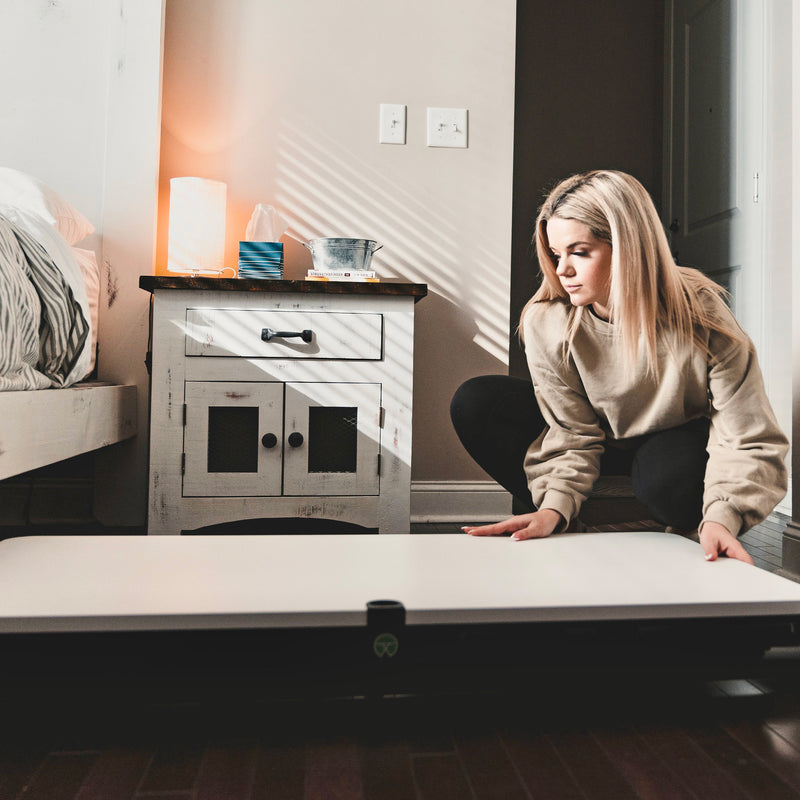
All three would occasionally work from the apartment. The apartment was a challenging environment for one person to work remotely, adding two or three made it completely unproductive. A few hours of laptop work on a couch or a kitchen counter becomes laborious even for 25 yr olds. Unfortunately, the small bedroom space and social activities in the rest of the apartment made any permanent desk option a non-starter.
Always up for a challenge to solve a problem with creativity and a mechanical mind, Colin set out to find a better way. As soon as he began thinking about it, his entrepreneurial spirit told him that this was a more universal problem. Not only could he solve the problem for him and his friends, but there was enough demand for a solution to create a business.